
Advanced Distribution Settings
In Advanced Mode, the Distribute page reveals deeper tracking, campaign attribution, and marketing-specific link generation options.
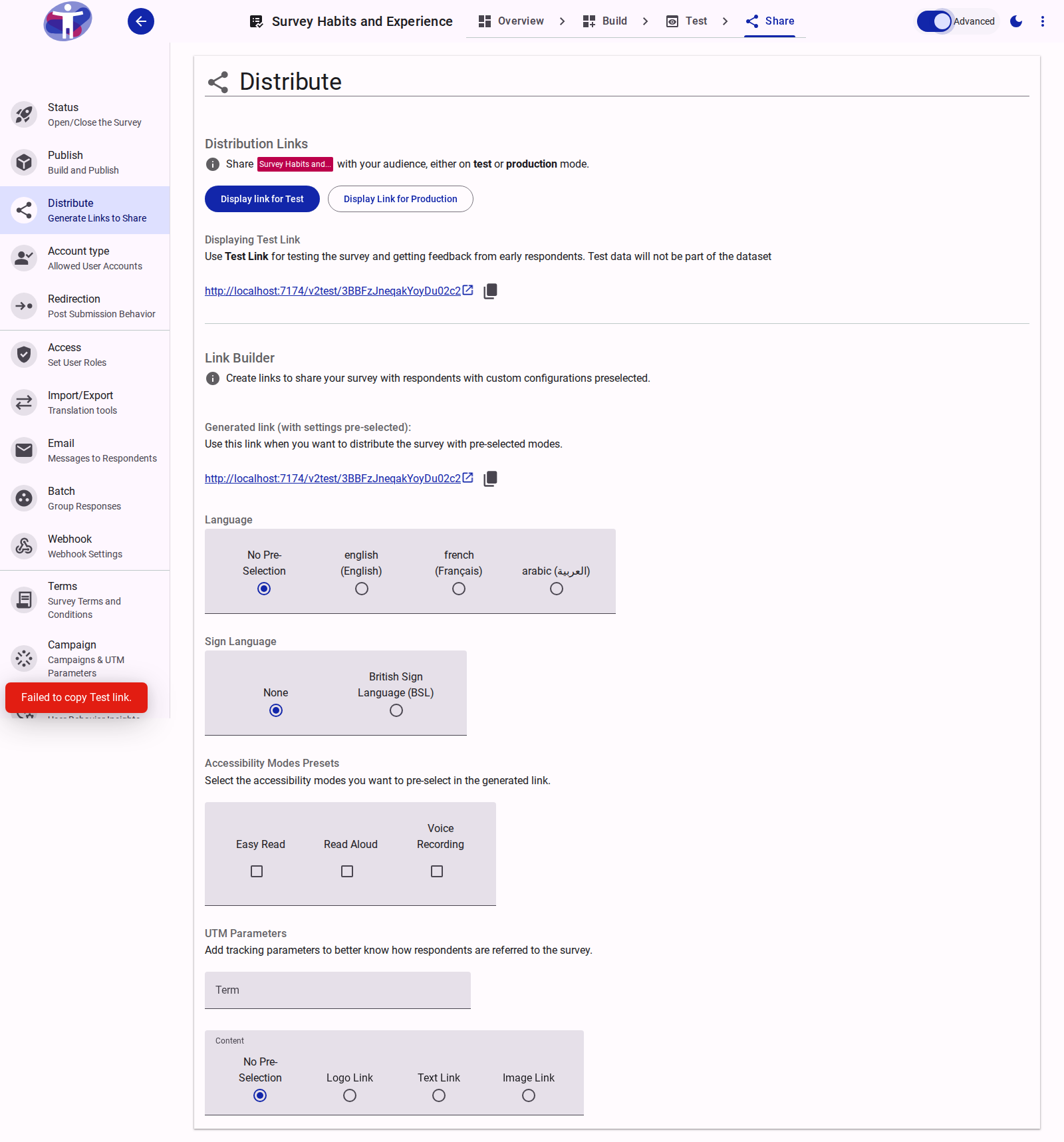
Advanced Link Customization
When you toggle Advanced Mode on, the Link Builder adds marketing attribution parameters to the pre-selected language and accessibility settings:
1. UTM Parameters
You can append standard tracking parameters directly to your generated link:
- Content (
utm_content): Identifies what specifically was clicked to bring the user to the site. Proposes the following presets:- No Pre-Selection: Parameter omitted.
- Logo Link: Click originated from the survey logo.
- Text Link: Click originated from a hyperlink inside a text block.
- Image Link: Click originated from an image banner or illustration.
- Term (
utm_term): A free-text field allowing you to identify keywords, target audiences, or specific referrers.
INFO
The Term field only accepts alphanumeric characters, underscores (_), hyphens (-), spaces, and the plus sign (+). Other special characters are automatically validated out.
Campaign Selector
The Campaign Selector appears at the very bottom of the Link Builder when Advanced Mode is active and at least one campaign is created. This allows you to bind a generated link to an active marketing campaign:
- Select a Campaign: Choose from the list of active campaigns created in the Campaign Manager. Selecting a campaign automatically appends
?utm_campaign=<campaign_name>to the generated link. - Select Medium (
utm_medium): (Required if a campaign is selected) Choose the channel driving the traffic:none(No specific medium)email(Email newsletters or transactional messages)organic(Unpaid search results)cpc(Cost per click / paid advertising)social(Social media networks)video(Video-sharing platforms)
When selected, the Campaign name and chosen Medium are instantly combined with any custom Content/Term fields and appended to your ready-to-copy URL displayed at the top of the Link Builder section.
TIP
The utm_source parameter is reserved for automatic injection by the survey distribution platform or hosting provider and does not need to be manually selected.
Related Content
- Campaigns & UTM Tracking — Managing campaigns, status toggles, and metadata
- Distribute Your Survey — Standard link presets for language and accessibility