
How to share options across multiple questions
When building a survey with multiple choice-based questions (like radio groups or dropdowns), you may find yourself repeatedly entering the same list of answer options (e.g., "Yes", "No", "Maybe" or frequency scales like "Daily", "Weekly", "Monthly").
Instead of typing these out every time, you can create a shared option list and reuse it across multiple questions.
Step 1: Create and mark options as shared
First, create a question and add the answer options you want to share.
Once your options are added, look for the Make options shared field in the question's configuration pane.

Step 2: Name your shared options
To save the options to the library, you must give the shared option group a descriptive name. This will make it easy to identify later.

Step 3: Reuse the shared options
Now that your options are saved, you can apply them to other questions.
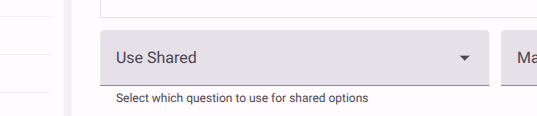
Select another choice-based question where you want to reuse the options. In the question's configuration pane, locate the Use Shared dropdown and select the name of the option group you just created.
NOTE
When you link a question to a shared option group, any future changes made to the shared options will automatically update across all questions using that group.