
Admin Pages
The admin workspace is available to channel owners, editors and moderators, depending on the section. It is reached from Admin in the top navigation.
Welcome

The welcome page introduces the three working areas and links to them:
- Broadcasts — drafting, editing, sending and reviewing performance.
- Moderation — reviewing community submissions.
- Subscribers — the membership directory and delivery preferences.
Moderation queue

| Column | What it shows |
|---|---|
| Sender | The address the submission came from. |
| Subject | The submitted title. |
| Submitted at | When the post arrived, by email or web form. |
| Category | The automated classification: news, event, announcement, question or spam. |
| Spam score | A value from 0 to 1; higher means more likely spam. Advisory, not decisive. |
| Actions | Approve, Edit & Approve, Reject. |
Open a row to read the full post before deciding. The category and score help triage; they do not replace reading the submission.
Broadcasts
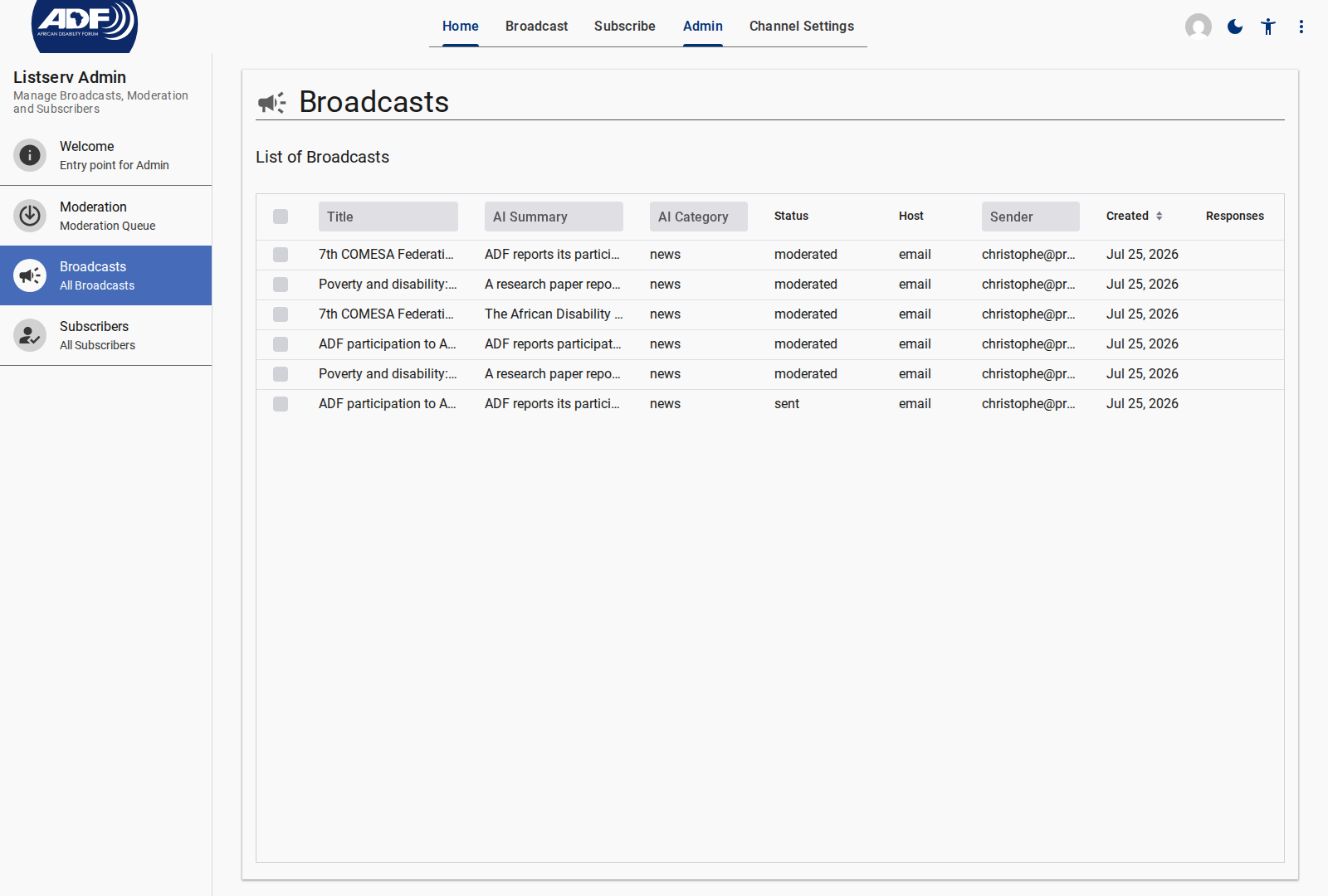
| Column | What it shows |
|---|---|
| Title | The broadcast subject. |
| Status | Draft, submitted, approved, sending, sent or rejected. |
| Origin | Whether an administrator wrote it or a community member submitted it. |
| Sent date | When dispatch completed. |
| Responses | The number of subscriber replies in the thread. |
Expand a row for the broadcast editor, the language versions and the delivery and open metrics.
Subscribers

| Column | What it shows |
|---|---|
| Email address | The subscribed address. |
| Status | Pending, active, unsubscribed or bounced. |
| Delivery mode | Real-time or weekly digest. |
| Vacation mode | Whether delivery is paused without unsubscribing. |
| Bounce count | Consecutive hard failures recorded for the address. |
Administrators can change status, delivery mode and vacation mode for an individual subscriber, and can filter the list by any column. See Managing Subscribers.
Analytics

| Metric | What it measures |
|---|---|
| Total sent | Broadcasts dispatched across the channel. |
| Delivery rate | Share of dispatched messages accepted by recipient servers. |
| Open rate | Share of delivered broadcasts opened, counting each recipient once per broadcast. |
| Responses | Replies received across broadcasts. |
Metrics can be filtered by language to compare engagement between language communities. Click tracking is not collected, so there is no click or click-through figure.
Related Content
- Public Pages: What subscribers see.
- Channel Settings: Configuration and access roles.
- Moderating Community Submissions: Reviewing a submission.
- Analyzing Broadcast Performance: Reading the metrics.