
Subscribing & Managing Delivery Preferences
This guide explains how users subscribe to a channel using either email commands or the web application, select language preferences, toggle weekly digest mode, and pause delivery via vacation mode.
Method 1: Email Commands (Low-Connectivity Route)
Users in low-bandwidth or offline environments can manage subscriptions by sending simple email commands to the channel address (e.g. channel-1@mg.a11ydata.com). No web browser or password required.
Supported Email Commands
Send an email to {channel-id}@mg.a11ydata.com with one of the following command keywords in the subject line or the first line of the body:
| Desired Action | English | French | Portuguese | Arabic |
|---|---|---|---|---|
| Subscribe | SUBSCRIBE / SUB | ABONNE / ABONNER | INSCREVER | اشتراك |
| Unsubscribe | UNSUBSCRIBE / UNSUB / SIGNOFF | DESABONNE | CANCELAR | إلغاء الاشتراك |
| Help & Guidelines | HELP | AIDE | AJUDA | مساعدة |
From: subscriber@example.com
To: channel-1@mg.a11ydata.com
Subject: SUBSCRIBE
Immediate Email Activation
Email commands originating directly from the user's mail address serve as proof of email ownership. Therefore, email command subscriptions are activated immediately without requiring a double opt-in click.
Method 2: Web Subscription (With Double Opt-In)
The web subscription form allows users to select preferred languages and delivery modes directly.

Steps to Subscribe on the Web
Open the Listserv web application and click Subscribe in the top navigation.
Enter your email address in the Email address text field.

Entering the subscriber's email address Under Preferred Language, choose your primary language (e.g. English, French, Portuguese, Arabic).
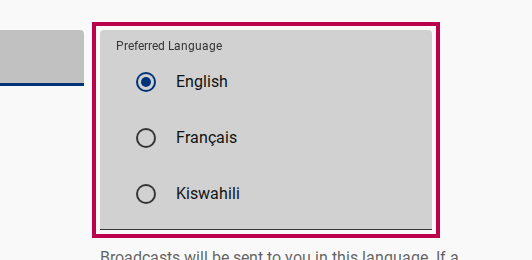
Choosing preferred delivery language (Optional) Select Send me a weekly digest instead of individual emails if you prefer a single summary email per week.

Toggling weekly digest mode option Click Subscribe.

Submitting the web subscription form Check your inbox for a confirmation email containing a double opt-in link.
Click the confirmation link to activate your subscription.
Double Opt-In Security
Unconfirmed subscriptions remain in pending status. Unverified accounts cannot receive broadcasts, preventing unauthorized spam signups.
Managing Delivery Preferences
Real-Time vs. Weekly Digest Mode
- Individual Emails (Real-Time): Each broadcast arrives as a separate email immediately after approval. You can reply directly to any broadcast email to contribute to threaded discussions.
- Weekly Digest Mode: Broadcasts are held and compiled into a single consolidated summary email dispatched once a week by the automated scheduler. Digest emails are read-only; you cannot reply to start a threaded discussion.
Unsubscribing
You can unsubscribe at any time using any of these 3 options:
- Click the 1-Click Unsubscribe link located in the footer of any broadcast email.
- Reply to any broadcast email with
UNSUBSCRIBEin the subject line. - Access your subscriber profile in the web app and set status to
unsubscribed.