
Multilingual Broadcast Support
The Listserv application is designed for multilingual member networks, supporting English, French, Portuguese, and Arabic across every interaction surface — from subscriber onboarding through email dispatch to analytics.
1. End-to-End Language Flow
Subscriber selects       ───▶   Preferences stored in       ───▶   Broadcast dispatched
preferred language              standard UserPreference             in subscriber's language
(on subscribe form)             (`user/{uid}/private/preference`)
Language flows through four distinct layers:
- Configuration — Channel owner enables active languages (
/settings/language) - Composition — Admin selects a
primaryLanguagefor each broadcast and composes multilingual body content - Translation — When a broadcast enters
approvedstate, translations are generated or verified for each active channel language - Delivery — The send engine selects the correct language version per subscriber by matching the subscriber's preferred language against available translations
2. Per-Channel Active Languages
Channel owners control which languages are active via Channel Settings > Active Languages (/settings/language). Languages available for activation are sourced from the customer's global language configuration in Customer Settings.
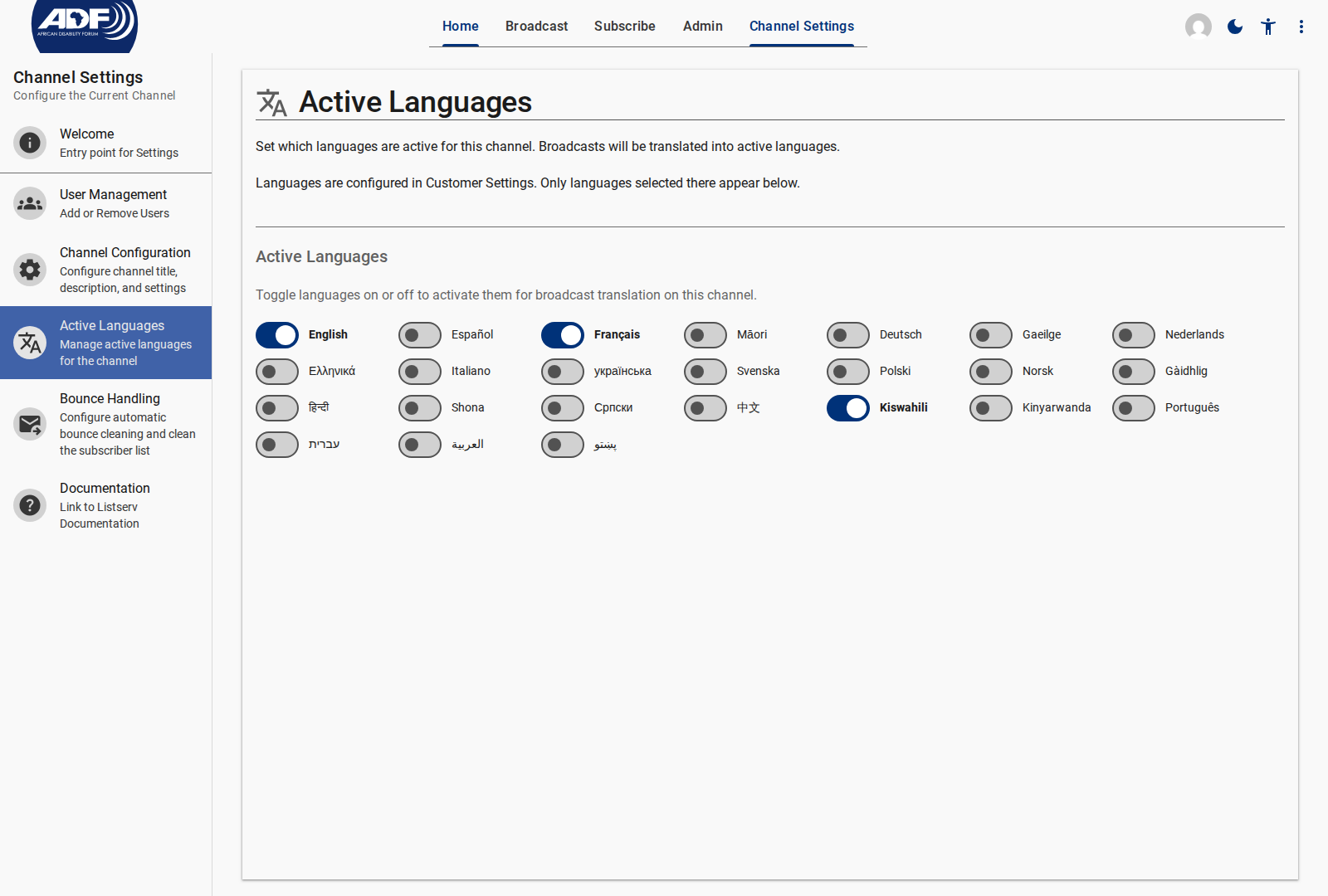
When a language is enabled:
- Approved broadcasts entering the
approvedstate trigger translation into that target language - A dedicated Mailgun mailing list is maintained per-language:
{channelId}-{lang}@mg.a11ydata.com - Subscribers with that preferred language are automatically added to the corresponding language list
3. Broadcast Composition & Primary Language
When creating a broadcast, the administrator selects a Primary Language — the language the content is originally composed in. Additional language versions are provided either:
- Manually: The admin writes content in multiple languages directly in the broadcast editor (
locale/{lang}fields) - Automatically: The translation pipeline generates versions for each active channel language
broadcast.content = {
  "en": { subject: "Upcoming Workshop", body: "Join us for..." },
  "fr": { subject: "Atelier à venir",  body: "Rejoignez-nous pour..." },
  "pt": { subject: "Workshop próximo", body: "Junte-se a nós para..." },
  "ar": { subject: "ورشة عمل قادمة",    body: "انضموا إلينا..." },
}
If automatic translation fails for a specific language, the system falls back to the primaryLanguage version so delivery proceeds without interruption.
4. Subscriber Language Preferences
Language Selector on Subscribe
Subscribers select their preferred language during signup:
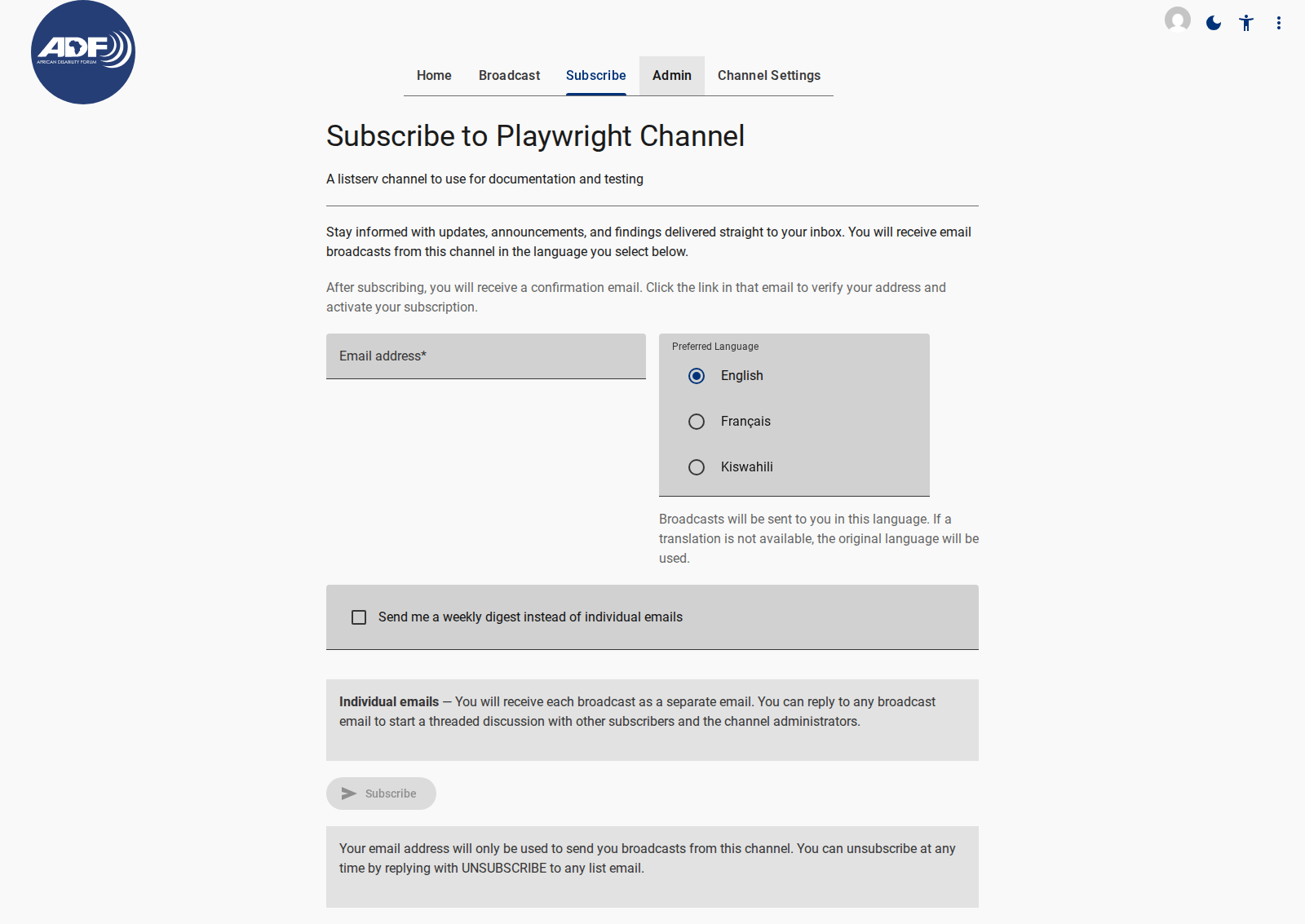
Available languages are filtered to the channel's activeLanguages. Each option displays the language-native name (e.g., "Français" instead of "French") via the languageNative lookup table.
The selection is stored as an ISO 639-1 code (en, fr, pt, ar) in a standardized UserPreference document (user/{uid}/private/preference) — decoupled from listserv-specific data to enable reuse across the platform.
Language Matching at Send Time
During dispatch, the send engine:
- Reads each subscriber's preferred language from UserPreference
- Selects the matching locale version from
broadcast.content - Falls back to
broadcast.primaryLanguageif the subscriber's language is unavailable - Sends via the appropriate per-language Mailgun mailing list
5. Multilingual Email Commands
Email-based subscription commands (SUBSCRIBE, UNSUBSCRIBE, HELP) are recognized in all four supported languages, with case-insensitive matching on the subject line or first line of the body:
| Command | English | French | Portuguese | Arabic |
|---|---|---|---|---|
| Subscribe | SUBSCRIBE / SUB | ABONNE / ABONNER | INSCREVER | اشتراك |
| Unsubscribe | UNSUBSCRIBE / UNSUB | DESABONNE | CANCELAR | إلغاء الاشتراك |
| Help | HELP | AIDE | AJUDA | مساعدة |
Automated reply emails (confirmation, acknowledgment, error) are also composed in the matched language or fall back to the channel's primary language.
6. Language-Segmented Analytics
Per-broadcast performance metrics are filterable by language:
- Delivery Rate per language list (sent × delivered for
{channelId}-fr@mg.a11ydata.comvs.{channelId}-ar@mg.a11ydata.com) - Open Rate and Click Rate segmented by subscriber language preference
- Enables comparison of engagement across language communities