
Broadcast Responses & Threaded Discussions
When a subscriber replies to a broadcast email, the Listserv application captures the response, threads it under the original broadcast, and can automatically re-distribute it to the channel. This enables flat threaded discussions where subscribers engage directly with announcements from their email client.
1. How Responses Are Correlated
Every broadcast email is dispatched with two identifiers that tie replies back to the originating broadcast:
Reply-Toheader:{channelId}+{broadcastId}@mg.a11ydata.com— ensures subscriber replies are routed back through the Mailgun inbound pipeline.Message-IDheader:<{broadcastId}@mg.a11ydata.com>— provides email threading across multiple responses.
From: "Channel Admin" <listserv@domain>
To: channel-1@mg.a11ydata.com
Reply-To: channel-1+abc123@mg.a11ydata.com
Message-ID: <abc123@mg.a11ydata.com>
Subject: [Announcement] Upcoming Regional Workshop
When a subscriber hits Reply in their email client, the reply is forwarded to channel-1+abc123@mg.a11ydata.com. The Mailgun inbound route extracts channelId and rootBroadcastId from the subaddress, and the response is stored as a new document in app/listserv/broadcast with ref.rootBroadcastId pointing to the parent.
2. Response Document Model
Responses share the same Firestore collection as broadcasts, discriminated by metaData.type:
| Field | Broadcast | Response |
|---|---|---|
metaData.type | 'broadcast' | 'broadcast-response' |
ref.rootBroadcastId | (absent) | ID of the parent broadcast |
origin | 'admin' or 'user' | 'subscriber' |
content | Full multilingual body | Stripped plain-text body (quoted content and signatures removed via Mailgun stripped-text) |
3. Lightweight Auto-Moderation
Unlike community submissions (which go through full AI moderation via gpt-4o-mini), broadcast responses follow a lightweight spam check:
- Mailgun attaches spam assessment headers (
X-Mailgun-Spam-Score) to each inbound email. - The response handler reads these headers directly — no AI model invocation.
- If the spam score is low (
recommendedAction === 'approve'), the lifecycle auto-transitions frommoderatedtosendingand the response is re-broadcast to the channel without manual review. - If the score is ambiguous or high, the response is held in
moderatedfor admin review.
4. Flat Threading in the Admin UI
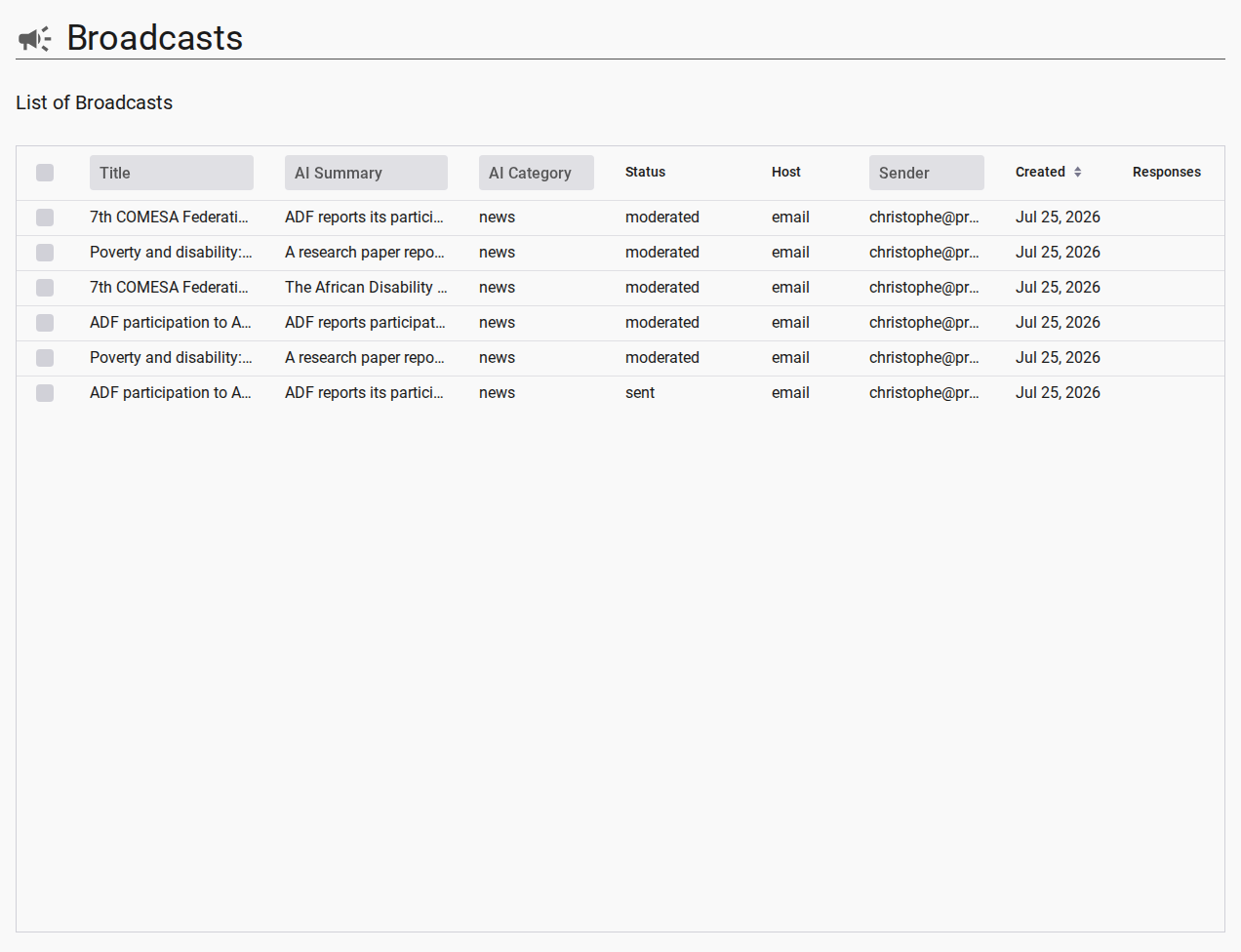
Responses are displayed threaded under their root broadcast in the admin broadcast list grid:
- The root broadcast row carries a denormalized
responseCountcolumn. - Expanding a row reveals the flat thread: all subscriber responses attached to that broadcast.
- Replies to responses also thread back to the root (flat thread — no nested sub-threads).
The admin can view, moderate, or delete individual responses from the grid row details panel.
5. Digest Subscribers Cannot Respond
Subscribers who have enabled Weekly Digest Mode receive a single compiled summary email once a week. Digest emails are assembled by the ScheduledJob digest handler and sent to the digest mailing list ({channelId}-digest@mg.a11ydata.com).
Digest Mode Restriction
Digest emails are read-only summaries. They do not carry a per-broadcast Reply-To subaddress and cannot be used to start or participate in a threaded discussion. Replying to a digest email does not create a broadcast response or re-distribute the message to the channel.
Rationale: Each digest email contains multiple compiled broadcasts. Tracking which specific broadcast a subscriber is replying to from an aggregated message is technically ambiguous. Real-time subscribers receive individual emails with precise Reply-To addresses, enabling accurate response threading.
To participate in discussions, subscribers can switch from digest to real-time delivery mode at any time.