
Marketing Campaigns & Advanced UTM Link Building
Date: 2026-07-08
Version: 1.1.0
Overview
We are excited to introduce Campaigns and Advanced UTM Link Building for Accessible Surveys! This update allows researchers and marketers to seamlessly track where survey respondents are referred from, group results by acquisition channel, and generate validation-safe query URLs in a completely redesigned Link Builder.
What's New?
Centralized Campaign Manager
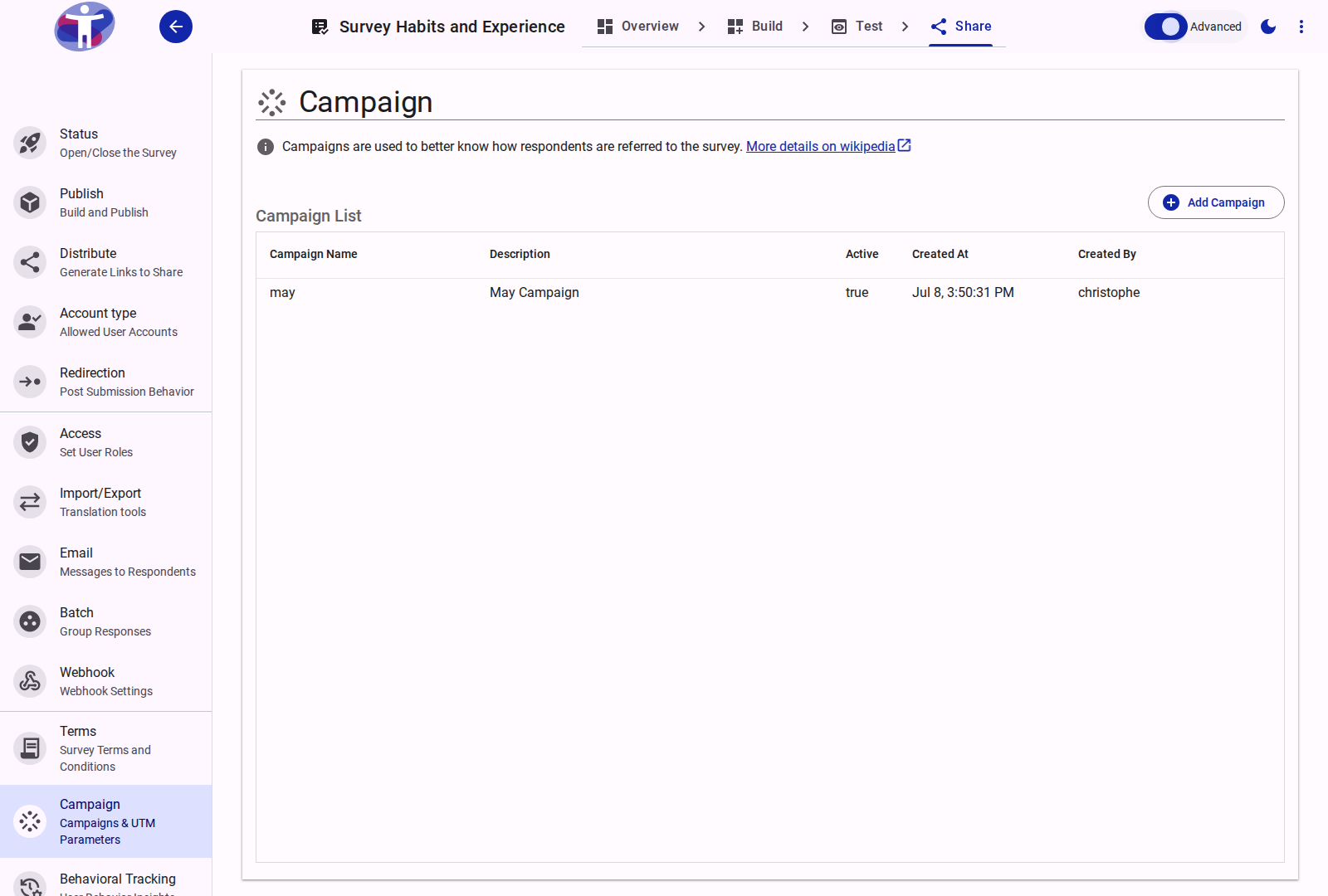
- What it is: A new dedicated Campaign management panel in the Share drawer to create, list, and toggle marketing initiatives.
- Why it matters: It lets you maintain a structured list of campaigns (e.g.,
summer_outreach_2026,newsletter_promo) with descriptive metadata, keeping your analytical attribution organized under a single source of truth. - How to use: Enable Advanced Mode in your survey editor toolbar, navigate to the Share tab, and click Campaign in the drawer to add or edit campaigns.
- Read more: Campaigns & UTM Tracking Reference
Advanced Link Builder & Selector
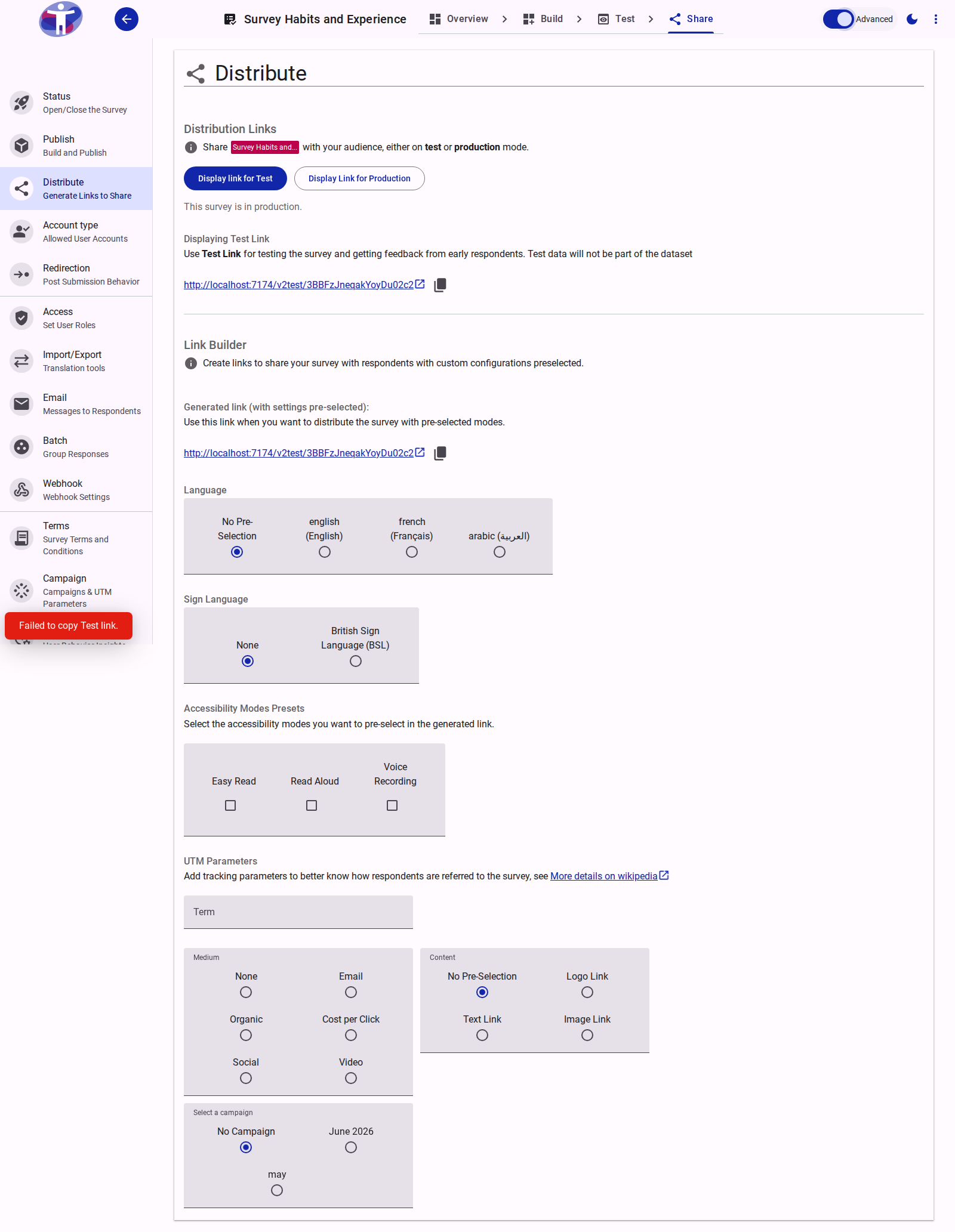
- What it is: An integrated selector below your generated survey URLs that allows you to easily attach tracking parameters without manually formatting links.
- Why it matters: Marketers can specify click types (
logolink,textlink,imagelink) and input target keywords, which are instantly converted into standard UTM search queries (utm_campaign,utm_medium,utm_content,utm_term) appended to a copy-ready URL. - How to use: Display any Test or Production link, toggle Advanced Mode on, select a Campaign, choose a Medium (e.g.,
email,social), and enter your custom Term and Content presets. - Read more: Advanced Link Customization & Selector Reference
Fixes & Improvements
- Validation-Safe Keywords: The
utm_termfield now implements a regex validator (^[a-zA-Z0-9_+ -]+$) to natively support+character overrides and standard alphanumeric characters while preventing encoding conflicts in browsers. - Automatic Source Injection: Removed manual user choice for
utm_sourceas this parameter is now automatically managed and injected by the hosting/distribution provider to prevent configuration errors. - Clean UI Gating: Marketing UTM parameters and the Campaign Selector are kept hidden behind Advanced Mode, maintaining a clean and simple Link Builder experience for standard survey sharing.